Why Invest in Automation: A Guide for Business Leaders
Why Invest in Automation: A Guide for Business Leaders
TL;DR:
Automation reduces operational waste, increases throughput, and creates capacity beyond manual process limits. It boosts efficiency, cuts costs, and improves quality by eliminating errors and rework. Successful implementation requires baseline data, strategic planning, and ongoing governance to maximize long-term value.
Automation is the fastest, highest-leverage way to cut operational waste, raise throughput, and free your people for higher-value work. If you’re a CFO, CTO, or operations lead weighing this decision, the core case is straightforward: automated systems consistently reduce fully-loaded costs, improve output quality, and create capacity that manual processes simply cannot recover. The strategic framing matters here. Automation is not a headcount-reduction exercise. It is a capability investment that compounds over time.
Two proof points worth anchoring to before you read further:
Industries that raised robot density saw measurable productivity gains in historical data, with the relationship between automation investment and throughput improvement holding across manufacturing, logistics, and services.
Condition-based monitoring and maintenance automation deployments have reported material reductions in unplanned downtime, according to Wiss’s manufacturing ROI guidance.
Your immediate next step: run a 4–6 week baseline assessment on your three highest-friction processes. Capture time per step, error rates, and transaction volumes before you spend a dollar on technology. That data is what turns an automation pitch into a defensible financial case.
Table of Contents
Why invest in automation? The top business benefits
How to assess your organization’s automation readiness
How to set clear goals and KPIs for an automation investment
How to choose the right automation technology for your needs
How to build a comprehensive ROI and business case for automation
Addressing employee impact, reskilling, and change management
Phased implementation: how to move from pilot to scale
Ensuring long-term success: monitoring, governance, and continuous improvement
What the evidence says: industry outcomes and cautionary lessons
Key Takeaways
The automation gap most leaders are not closing
Proud Lion Studios builds automation that fits your business
Useful sources and further reading
Why invest in automation? The top business benefits
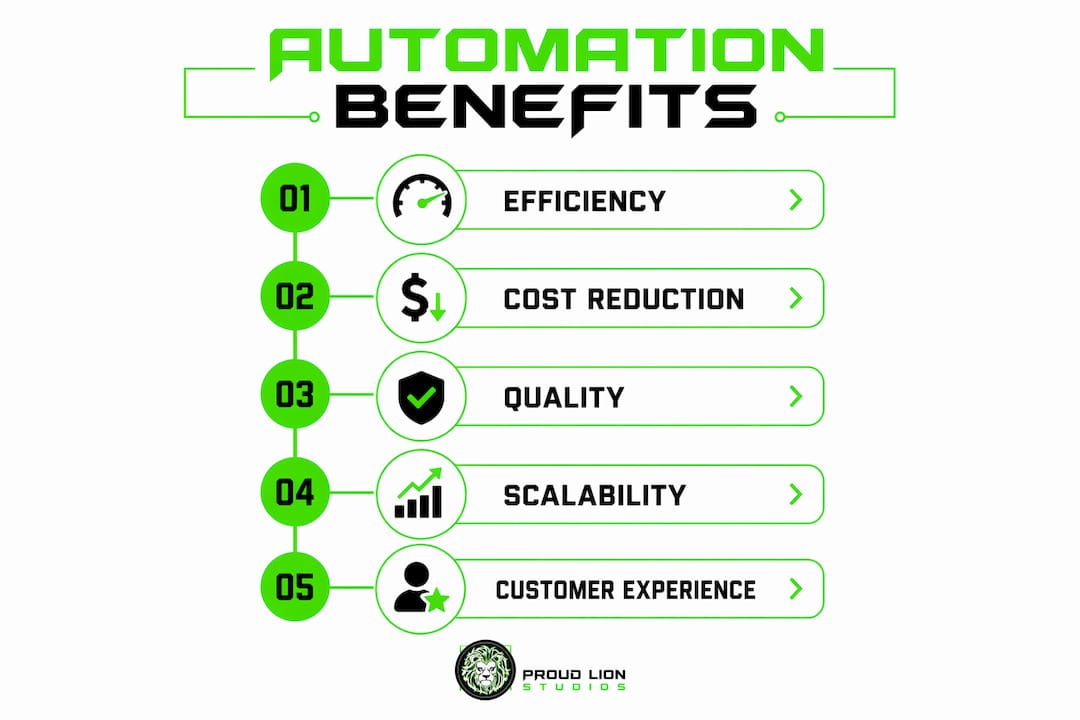
The benefits of automation span every function, but the ones that move a board conversation are operational efficiency, cost reduction, quality, and scalability. Each deserves a precise framing.

Operational efficiency and throughput improve because automated workflows eliminate the wait states, handoffs, and re-entry errors that slow manual processes. A finance team processing invoices manually might handle 200 per day per person. The same team with workflow automation can process multiples of that volume with the same headcount, freeing staff for exception handling and analysis.
Fully-loaded cost reduction goes well beyond wage savings. When you automate a process, you also reduce the payroll burden (taxes, benefits, turnover, training replacement) attached to that work. You recover floor space, reduce rework costs, and lower the compliance risk of manual errors. Simple labor displacement calculations routinely undercount this value, which is why a six-component financial model matters.
Quality and consistency are where automation often delivers its fastest wins. Robots and software agents do not fatigue, skip steps, or misread a field. In manufacturing, this translates directly to lower defect rates and reduced scrap. In customer service, it means consistent response times and accurate information delivery every time.

Benefit | Where it shows up | When it materializes |
|---|---|---|
Throughput increase | Manufacturing lines, invoice processing | Pilot phase (8–16 weeks) |
Fully-loaded cost reduction | Finance, HR, operations | Post-scale (6 months) |
Defect and rework reduction | Production, data entry, compliance | Pilot phase |
Unplanned downtime reduction | Maintenance, IT operations | Scale phase with condition monitoring |
Customer response time | Support centers, order management | Pilot phase |
Data-driven decisions | Analytics, reporting, forecasting | Ongoing, post-implementation |
Reduced unplanned downtime is a benefit that surprises many executives. Condition-based monitoring, when paired with automation, shifts maintenance from reactive to predictive. The financial impact compounds quickly because downtime carries a fully-loaded cost that includes lost throughput, overtime, and expedited parts.
Customer experience improves when automation paired with real-time data enables personalized responses at scale. Support centers that automate first-contact resolution see faster response times and higher satisfaction scores. The same HBR-sponsored research notes that eliminating tedious tasks also reduces employee burnout, which is a retention benefit most ROI models ignore.
Scalability is the strategic differentiator. A manual process scales linearly with headcount. An automated process scales with compute. When your business wins a large contract or enters a new market, automation means you can absorb the volume without a proportional hiring surge.
How to assess your organization’s automation readiness
Before selecting a platform or writing a business case, you need an honest picture of where you stand. Readiness has four dimensions: process quality, systems compatibility, data health, and organizational capacity.
Process baseline checklist. For each candidate process, capture:
Time per step (in minutes, not estimates)
Error rate and rework frequency
Transaction volume per day/week/month
Number of systems touched and handoff points
Regulatory or compliance constraints
Process mapping tip. Map end-to-end workflows, not isolated tasks. A single invoice approval might touch an ERP, an email inbox, a spreadsheet, and a PDF. Automating only the ERP entry while leaving the email handoff manual creates a fragile half-solution.
Integration and data readiness. Check whether your systems of record expose APIs or support standard connectors. Data cleanliness is equally critical: garbage in, garbage out applies with ten times the force when a process runs at automated speed. Identify your authoritative data sources and resolve conflicts before you build.
Organizational readiness. You need executive sponsorship, a functional IT/operations relationship, and at least one process subject-matter expert (SME) willing to own the outcome. Change management capacity, meaning the ability to communicate, train, and support affected staff, is as important as technical readiness.
Pro Tip: Never automate a broken process. If a workflow has glaring defects, manual workarounds, or undocumented exceptions, fix those first. Automation amplifies whatever is already there. A flawed process running at ten times the speed creates ten times the damage.
How to set clear goals and KPIs for an automation investment
Vague goals produce vague results. Your CFO will want to see specific, measurable targets tied to baseline data before approving capital. The KPI framework below covers the categories that matter most.
Fully-loaded labor cost is the right cost baseline, not just the hourly wage. Add payroll taxes (employer FICA in the US), benefits (health, dental, retirement), turnover cost (recruiting and onboarding), and training. For US knowledge workers, the fully-loaded cost is typically 1.25–1.4x base salary. That multiplier is what makes the financial case compelling.
Recommended KPI categories:
Cost: fully-loaded labor per transaction
Throughput: units or transactions processed per hour/day
Quality: error rate, defect rate, rework percentage
Reliability: unplanned downtime hours per month
Speed: cycle time, customer wait time
Experience: net promoter score, customer satisfaction
Compliance: audit findings, missed SLAs
KPI | Baseline metric | Target | Measurement cadence |
|---|---|---|---|
Cost per invoice processed | $X per invoice | Reduce by target % | Monthly |
Invoice processing time | X minutes per invoice | Reduce to Y minutes | Weekly during pilot |
Error/rework rate | X% of transactions | Reduce to Y% | Weekly |
Unplanned downtime | X hours/month | Reduce to Y hours | Monthly |
Customer response time | X hours average | Reduce to Y hours | Weekly |
Employee redeployment | X FTE on rote tasks | Redeploy to higher-value roles | Quarterly |
For payback modeling, set a base case using conservative assumptions (50% of projected benefit in year one) and an upside case using full benefit realization. Present both to your CFO with explicit assumptions. Sensitivity analysis on the labor cost multiplier and throughput uplift percentage will show which variables drive the most value, and which ones to stress-test.
How to choose the right automation technology for your needs
The automation technology market has a taxonomy that matters for decision-making. Choosing the wrong category for your problem is one of the most common and expensive mistakes.
The technology taxonomy:
RPA (Robotic Process Automation): Rules-based bots that mimic user actions across existing interfaces. Best for structured, repetitive, high-volume tasks with stable inputs. Low technical risk, fast deployment.
Intelligent Process Automation (IPA): RPA combined with machine learning and natural language processing. Handles semi-structured inputs like emails, documents, and voice. Higher capability, higher implementation complexity.
Workflow orchestration platforms: Coordinate tasks, approvals, and data flows across systems. Best for multi-step, multi-system processes with human-in-the-loop requirements.
Hyperautomation: An end-to-end strategy combining RPA, IPA, process mining, and AI decisioning. Treat it as a program, not a product.
Physical robotics and IoT integration: Hardware automation for manufacturing, warehousing, and field operations. Highest capital cost, highest throughput upside.
A portfolio-style approach to automation investment helps manage risk: allocate core budget to stable RPA and workflow tools, then make smaller satellite bets in process mining and autonomous decisioning as your capability matures.
Vendor-selection checklist:
API and integration depth with your existing systems of record
Security architecture: encryption at rest and in transit, role-based access control
Data governance: where does your data live, who can access it, and how is it logged?
Scalability: can the platform handle 10x your current volume without re-architecture?
Monitoring and alerting: does it surface exceptions in real time?
Support and SLAs: what is the vendor’s uptime commitment and escalation path?
Total cost of ownership: license, implementation, integration, training, and ongoing maintenance
Low-code vs. custom code. Low-code platforms accelerate deployment for standard processes. Custom development makes sense when your process is genuinely unique, when you need proprietary data models trained on your own data, or when the platform’s constraints would force you to build workarounds that create technical debt. A development partner with AI and automation expertise can help you make that call honestly.
Pro Tip: Prioritize processes where your proprietary data creates a defensible advantage. A narrow, high-friction process automated with your own data becomes a competitive moat. Generic automation of a commodity process does not.
How to build a comprehensive ROI and business case for automation
The most common reason automation proposals fail is not a bad idea. It is a weak financial case. Here is a reproducible structure that holds up to CFO scrutiny.
The six-component financial case:
Baseline metrics: Documented current-state performance (time, cost, error rate, volume) with a clear measurement methodology.
Benefit projections tied to baseline: Each benefit line (labor, quality, downtime, throughput) expressed as a delta from baseline, not a percentage pulled from a vendor’s marketing deck.
Total cost of ownership (TCO): Implementation, integration, licensing, training, and ongoing maintenance. Most models undercount integration and maintenance by 30–50%.
Net present value (NPV): Discount projected benefits at your company’s weighted average cost of capital (WACC) or hurdle rate. A positive NPV at your discount rate is the threshold for approval.
Sensitivity analysis: Show base, conservative, and optimistic cases. Stress-test the labor cost multiplier, throughput uplift percentage, and implementation timeline.
After-tax considerations: Depreciation treatment of capital expenditure, Section 179 deductions for qualifying equipment, and R&D tax credit eligibility for custom software development.
Simple labor-displacement calculations undercount value because they ignore quality savings (reduced scrap, rework, and warranty claims), throughput upside (more output from the same fixed cost base), and downtime recovery. A rigorous financial model includes all three, with each benefit line tied to a specific baseline metric and a measurement plan.
Illustrative narrative: A mid-size manufacturer processing 1,000 units per shift manually, with a 3% defect rate and two unplanned downtime events per month, builds a baseline. After automation, throughput rises, defect rate drops, and downtime events fall. Each of those three deltas carries a dollar value. The sum of those values, discounted at the company’s hurdle rate and netted against TCO, produces the NPV. That is the number the CFO approves.
Financial case component | Key inputs | Common mistake |
|---|---|---|
Baseline metrics | Time/step, error rate, volume, downtime | Using estimates instead of measured data |
Benefit projections | Labor multiplier, defect cost, throughput value | Counting only wage savings |
TCO | License, integration, training, maintenance | Underestimating integration and maintenance |
NPV | WACC or hurdle rate, benefit timeline | Ignoring discount rate entirely |
Sensitivity analysis | Key assumption ranges | Presenting only the optimistic case |
After-tax | Depreciation, Section 179, R&D credits | Ignoring tax treatment of capital spend |
CFOs expect to see baseline data, a measurement plan, and a post-implementation reporting cadence. If you cannot show how you will measure the benefit after go-live, the proposal will not survive the first budget review.
Addressing employee impact, reskilling, and change management
Automation’s biggest implementation risk is rarely technical. It is human. Resistance, fear of job loss, and loss of institutional knowledge can derail a technically sound project. A structured change management approach prevents that.
Change management steps:
Stakeholder mapping: Identify who is affected, who influences the decision, and who will own the outcome post-launch.
Communication plan: Be direct about what is changing, what is not, and what the redeployment path looks like for affected staff.
Reskilling programs: Shift affected employees toward exception handling, oversight, and analysis roles. These are higher-value, more engaging positions.
Pilot stakeholder engagement: Include process SMEs in the pilot design. Their knowledge of edge cases is irreplaceable, and their buy-in accelerates adoption.
Executive sponsorship: Visible, active sponsorship from a C-suite leader signals that the program has organizational weight behind it.
Automation paired with real-time data can reduce employee burnout by eliminating the most tedious, repetitive work. That is a retention argument worth making explicitly in your internal communications.
Role | Responsibility | Transition path |
|---|---|---|
Automation owner | Program accountability, benefit realization | Senior ops or IT leader |
Process SME | Workflow knowledge, exception rules, UAT | Redeployed to oversight and optimization |
IT/integration lead | Systems connectivity, security, monitoring | Expanded scope as automation scales |
Data steward | Data quality, governance, access control | Higher-value analytics and reporting |
Governance board | Change control, prioritization, risk oversight | Cross-functional leadership team |
Measure workforce impact beyond headcount. Track employee engagement scores, internal mobility rates, and time-to-productivity for redeployed staff. These metrics tell a richer story than a simple FTE count and give your HR team data to support the narrative that automation creates better jobs, not fewer.
Phased implementation: how to move from pilot to scale
A phased rollout reduces risk and builds the organizational confidence needed to fund subsequent automation investments. The compounding effect of early wins is real: a successful pilot generates both the financial return and the internal credibility to expand.
Discovery and baseline (4–8 weeks). Map the target process end-to-end, capture baseline metrics, confirm integration feasibility, and document the business case. This phase produces the data that funds the pilot.
Pilot design and launch (8–16 weeks). Select a single, well-bounded process. Define success metrics, assign stakeholders, instrument data collection, and establish rollback criteria. Run the pilot in a controlled environment before touching production systems.
Pilot measurement and iteration. At the end of the pilot window, compare actual results to baseline. Identify exceptions, edge cases, and integration gaps. Fix them before scaling. Do not skip this step under schedule pressure.
Scale criteria check. Before expanding, confirm: the pilot delivered positive ROI, the automation runs reliably at target volume, stakeholders are trained and confident, and the integration test plan passed. All four must be true.
Programmatic scaling. Roll out to additional processes, sites, or business units using the pilot as a template. Reuse the measurement framework and governance model.
Continuous improvement loop. Treat automation as a product with a product owner. Schedule quarterly reviews to identify drift, new edge cases, and expansion opportunities. This is where the compounding ROI builds. An enterprise AI roadmap approach formalizes this loop across the organization.
Common pitfalls to avoid:
Building fragile point solutions that break when an upstream system changes
Accumulating technical debt by skipping documentation and version control
Insufficient monitoring: if you cannot see exceptions in real time, you cannot fix them fast
Scaling before the pilot is stable, which multiplies problems instead of results
Ensuring long-term success: monitoring, governance, and continuous improvement
Automation is not a set-and-forget investment. The organizations that extract compounding value treat it as an ongoing capability, not a one-time project. That requires governance, monitoring, and a lifecycle mindset.
Monitoring checklist:
Uptime and reliability against SLA targets
Exception rate: what percentage of transactions require human intervention?
Throughput: is the system processing at expected volume?
ML model drift: if your automation uses machine learning, are predictions degrading over time?
Integration health: are upstream and downstream systems passing data cleanly?
Governance element | Purpose | Owner |
|---|---|---|
Automation Center of Excellence (CoE) | Standards, prioritization, capability building | VP of Operations or CTO |
Change control board | Approve changes to automated processes | Cross-functional (IT, Ops, Finance) |
Data governance steward | Data quality, access control, compliance | Data or IT leadership |
Product owner per automation | Benefit realization, backlog, lifecycle | Process or business unit lead |
Risk and compliance review | Regulatory adherence, audit trail, security | Legal, compliance, IT security |
The lifecycle approach is: baseline, implement, measure, optimize, expand. Treat each automation as a product with a backlog, a product owner, and a release cadence. When a process changes, the automation must change with it. Change impact analysis on downstream systems prevents the silent failures that erode trust in the program.
Risk management means planning for technical debt, versioning, and vendor dependency. Avoid building automation that only one person understands. Document everything, version-control your bots and workflows, and test changes in a staging environment before pushing to production.
What the evidence says: industry outcomes and cautionary lessons
The business case for automation is well-supported by research and real-world deployments, but the evidence also surfaces consistent failure patterns worth knowing before you commit.
Research findings:
Source | Key finding | Implication |
|---|---|---|
Trade.gov / SelectUSA | Positive relationship between robot density and productivity across industries | Automation investment has a measurable macro-level payoff |
Wiss ROI guidance | Simple payback calculations undercount quality, throughput, and downtime value | Build a six-component model, not a wage-offset calculation |
Tap Digital framework | Portfolio approach (RPA core + satellite bets) manages risk and scalability | Treat automation as an investment portfolio, not a single project |
HBR sponsored research | Automation reduces employee burnout and enables personalized CX at scale | Include retention and satisfaction in the benefit case |
A3 / Automate.org | Reliability, repeatability, and traceability are immediate automation benefits for manufacturers | Start with high-volume, repetitive processes for fastest ROI |
Short industry vignettes:
A mid-size manufacturer deploying condition-based monitoring automation reported material reductions in unplanned downtime, with maintenance teams shifting from reactive repair to scheduled intervention. The throughput recovery from reduced downtime contributed more to the financial case than the direct labor savings.
A financial services back-office team automating invoice processing and reconciliation cut cycle time significantly and redeployed staff to client-facing roles. The customer satisfaction improvement was measurable within the first quarter post-launch.
A customer support center using intelligent automation for first-contact resolution reduced average handle time and improved consistency of responses, with the biggest gain coming from eliminating the re-entry of customer data across systems.
“Automating a mess just gives you a faster mess. The prerequisite for successful automation is a clean, well-understood process. Fix the workflow first, then automate it.” — Harvard Business Review on process automation pitfalls
The compounding investment cycle. Early automation wins generate two types of return: financial savings that fund subsequent projects, and organizational confidence that accelerates approval cycles. Teams that treat automation as a portfolio capability, reinvesting early returns into the next project, consistently outpace those that treat each deployment as a standalone initiative.
Automation is most valuable when applied to high-friction, specific processes where your proprietary data creates a defensible advantage. One-size-fits-all automation projects, deployed without a clear problem-specificity-to-scalability analysis, tend to produce mediocre results and erode executive confidence in the program.
For teams evaluating maintenance automation specifically, the condition-monitoring use case offers one of the fastest payback periods in the portfolio.
Key Takeaways
Automation delivers compounding ROI when you start with a rigorous baseline, build a six-component financial case, and treat deployment as a continuous lifecycle rather than a one-time project.
Point | Details |
|---|---|
Start with a baseline | Capture time per step, error rates, and volume before selecting any technology. |
Build a full financial case | Include quality, throughput, and downtime value — not just wage savings — to pass CFO review. |
Choose technology by problem type | Match RPA, IPA, or workflow orchestration to the specific process, not to vendor preference. |
Treat automation as a product | Assign a product owner, run quarterly reviews, and reinvest early wins into the next project. |
Proud Lion Studios | Proud Lion Studios builds custom AI agents, process automation, and integrated platforms tailored to your specific workflows and data. |
The automation gap most leaders are not closing
Most automation guides focus on the technology decision. The harder, more consequential decision is organizational: are you willing to measure honestly before you build, and govern rigorously after you deploy?
The evidence is consistent. Automation proposals fail not because the technology does not work, but because the baseline was estimated rather than measured, the financial case counted only wages, and the governance model was an afterthought. The organizations extracting real compounding value from automation share one trait: they treat it as a strategic capability with a lifecycle, not a project with a go-live date.
There is also a misconception worth addressing directly. Automation is not primarily about reducing headcount. The strategists who get the most from it use it to scale throughput, capture hidden value from reduced rework, and recover capacity that gets redeployed into higher-value work. That framing changes the internal conversation from threatening to genuinely motivating for the people involved.
The other underappreciated insight: proprietary data is the real moat. A generic RPA deployment on a commodity process is replicable by any competitor. An automation built on your own transaction history, customer behavior data, or operational patterns, trained and refined over time, creates an advantage that compounds. That is the investment worth making.
Proud Lion Studios builds automation that fits your business
Most automation projects stall not because the technology is wrong, but because the implementation is disconnected from the actual business problem. Proud Lion Studios takes a different route: we start with your specific workflows, your data, and your integration constraints, then build custom AI agents, process automation, and end-to-end platforms that fit precisely.
Our team delivers mobile and web platforms) alongside AI automation solutions, so your front-end user experience and back-end automation are built as a single coherent system, not bolted together after the fact. We also bring deep expertise in strategic AI automation for businesses that want proprietary, data-trained models rather than off-the-shelf tools.
If you are ready to move from a vague automation interest to a defensible business case and a working pilot, reach out to Proud Lion Studios for a discovery sprint. We will help you identify your highest-value automation targets, capture the baseline data you need, and scope a phased implementation plan built around your actual numbers.
Useful sources and further reading
These are the primary sources used in this guide. They are worth reading directly when you are building your financial case or benchmarking against industry outcomes.
Source | What it covers | Best used for |
|---|---|---|
Wiss: Manufacturing Automation ROI Guide | Six-component financial justification framework for manufacturing automation | Building the CFO-ready business case |
Tap Digital: Strategic Automation Framework | RPA/IPA/hyperautomation taxonomy and portfolio investment strategy | Choosing technology categories and managing risk |
Trade.gov / SelectUSA: Robots and the Economy | Macro-level analysis of robot density and productivity across US industries | Benchmarking productivity claims and macro ROI |
HBR Sponsored: Automation Drives Business Growth | Customer experience and employee satisfaction benefits of automation | People-impact and CX benefit sections |
Capacity: Top Reasons to Invest in Automation | Cross-functional workflow automation benefits and departmental examples | Benefits overview and change management planning |
A3 / Automate.org: Why Invest in Robotic Automation | Manufacturer-focused case for robotic automation investment | Manufacturing ROI and throughput benefit framing |